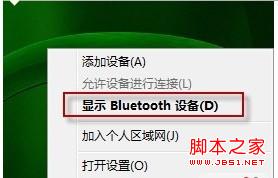
win7出现Bluetooth外围设备的解决步骤如下:右键右下角的蓝牙图标单击显示Bluetooth设备取消掉部分无驱动的服务后确定,希望对你有所帮助 0 v) O$ {) L& ]4 B) } 1、右键右下角的蓝牙操作系统下载图标单击显示Bluetooth设备; 2 U5 B. L) S M% [* n( l: X) _# b, m! K* B. T9 ]
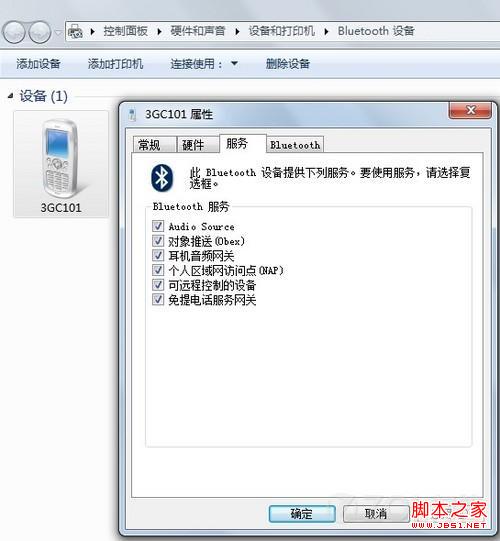
2、取消掉部分无驱动2014最系统下载的服务后确定,Bluetooth外围设备消失。 2 J7 b; L' Z: K. I0 t+ ~; f: r+ F: p1 e1 S' O F



 发表于 2014-11-12 10:01:00
 # b, m! K* B. T9 ]
 + ~; f: r+ F: p1 e1 S' O F